
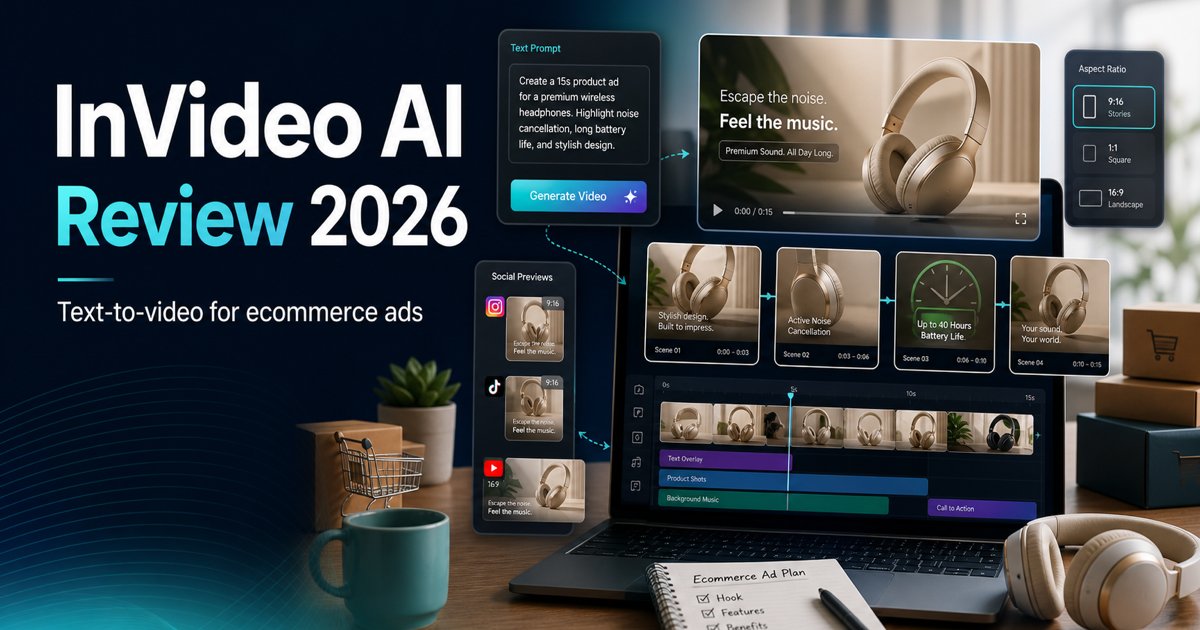
InVideo AI Review 2026: The Fastest Way to Create Marketing Videos (Tested for Ecommerce)
⚡ Quick Verdict
🏆 UCCMF Score: 4.0/5 | 🐺 Wolf’s Pick: ✅ Yes (for ecommerce video ads & social content)
InVideo AI turns a text prompt into a full marketing video — voiceover, stock footage, captions, music — in under 5 minutes. For ecommerce sellers who need product promo clips, social media Reels, and ad creatives without hiring a video editor, it’s the fastest option available in 2026. The free plan is too limited for business use, but the Plus plan at $25/month delivers serious value for solo sellers and small teams.
👉 Try InVideo AI Free — no credit card required
Disclosure: AIToolVerify may earn a commission if you sign up through the InVideo links in this review. This does not affect our UCCMF scoring.
📑 Table of Contents
- What Is InVideo AI?
- Who Is InVideo AI Best For?
- UCCMF Score Breakdown
- Ecommerce Test Results
- Pricing Breakdown
- InVideo AI vs Competitors
- 🐺 Wolf’s Take
- Pros & Cons
- FAQ
- Final Verdict
What Is InVideo AI?
InVideo AI is a text-to-video platform that generates complete marketing videos from a simple text prompt. Founded in 2017, InVideo has grown to over 50 million users across 190+ countries, producing roughly 8 million videos per month.
The platform works in two modes: InVideo AI (generates full videos from prompts) and InVideo Studio (traditional drag-and-drop editor). This review focuses on the AI-powered workflow, which is where InVideo has invested most of its development resources in 2025-2026.
The biggest update for 2026: InVideo now integrates OpenAI’s Sora 2 and Google’s VEO 3.1 generative video models directly into its pipeline. Accessing Sora 2 standalone through ChatGPT Pro costs $200/month. VEO 3.1 Ultra runs around $250/month. InVideo gives you access to both starting at $25/month — that alone changes the value equation.
For ecommerce sellers specifically, InVideo AI solves the “I need 5 product videos this week and I don’t have a video team” problem. You type a prompt describing your product, target audience, and desired style, and the AI assembles a complete video with voiceover, stock footage, transitions, and background music. If you’re already using tools like Synthesia for avatar-based videos, InVideo fills a different niche — fast, stock-footage-driven marketing content at scale.
Who Is InVideo AI Best For?
Based on our testing, InVideo AI works best for these three ecommerce scenarios:
- Solo ecommerce sellers who need product promo videos, unboxing-style content, and social media Reels without hiring a video editor. If you’re running a Shopify or Amazon store and spending $500+/month on freelance video work, InVideo can cut that to $25/month.
- Social media marketers who need high-volume video content for TikTok, Instagram Reels, and Facebook Ads. The text-to-video workflow lets you produce 5-10 video variants per day for A/B testing — something that used to require a full production team.
- Ad creative teams running performance marketing campaigns. When you need 20 ad variations to test different hooks, CTAs, and visual styles, InVideo’s prompt-based generation is dramatically faster than manual editing.
InVideo AI is not ideal for: avatar-based training videos (use Synthesia instead), long-form documentary content, or brands requiring pixel-perfect creative control over every frame.
UCCMF Score Breakdown
| Metric | Score | Details |
|---|---|---|
| U — Usability | 4.5/5 | Type a prompt, get a video. Conversational editing (“make the voiceover slower,” “change scene 3 to show a warehouse”) works well. Mobile apps rated 4.8 (iOS) and 4.4 (Android). |
| C — Content Quality | 3.5/5 | Stock footage selection is solid for most niches. AI voiceovers sound natural in English. Generated scripts are decent but generic — best results come from pasting your own copy. Sora 2/VEO 3.1 integration pushes quality up significantly. |
| C — Cost-effectiveness | 4.5/5 | $25/month for 50 AI videos with Sora 2 and VEO 3.1 access. Compare: hiring a freelance video editor costs $50-150 per video. ROI is clear within the first month. |
| M — Marketing Fit | 4.0/5 | Strong for social media ads, product promos, and explainer clips. Supports 50+ languages for international ecommerce. Less suitable for premium brand content that needs custom footage. |
| F — Flexibility | 3.5/5 | 16M+ stock footage library. Brand kit support (Plus plan). API access on Max plan. However, fine-tuning specific scenes can be frustrating — the AI sometimes ignores detailed edit instructions. |
| Overall | 4.0/5 |
Ecommerce Test Results
We tested InVideo AI across three common ecommerce video scenarios to see how it performs with real-world prompts.
Test 1 — Product Promo Video (30-Second Instagram Reel)
Prompt: “Create a 30-second Instagram Reel promoting a premium wireless earbuds product. Target audience: fitness enthusiasts aged 25-40. Show the product in gym/workout settings. Upbeat music, problem-solution structure, end with a 20% discount CTA.”
Result: InVideo generated a usable first draft in 3 minutes 40 seconds. The AI selected relevant gym and fitness stock footage, matched the pacing to upbeat background music, and included auto-generated captions. The voiceover was clear and energetic. The CTA placement was correct.
What needed fixing: Two of the five scenes used footage that didn’t match well (generic office scenes instead of gym). One conversational edit prompt (“replace scene 2 with someone running outdoors”) fixed it in under a minute. Total time to final video: under 8 minutes.
Verdict: For quick social media promos, InVideo AI delivers. The speed advantage over manual editing is massive — this would take a freelancer 2-4 hours.
Test 2 — Facebook Ad Creative (Multiple Variants)
Prompt: “Create a 15-second Facebook ad for a skincare brand launching a new vitamin C serum. Hook: ‘Your skin is aging faster than you think.’ Show before/after transformation. Professional, clean aesthetic.”
Result: Generated in 2 minutes 15 seconds. We then asked InVideo to create 3 variations with different hooks — total generation time for all variants was under 12 minutes. This is where InVideo AI truly shines for ecommerce: rapid ad creative iteration.
What needed fixing: The “before/after” concept didn’t translate perfectly — the AI used abstract skin-related footage rather than actual transformation visuals. For specific product imagery, you’d still need to upload your own assets or use InVideo Studio’s manual editor.
Test 3 — Product Explainer Video (60-Second YouTube Short)
Prompt: “Create a 60-second explainer video about how AI-powered inventory management saves ecommerce sellers time and money. Educational tone, include statistics, end with a soft CTA to learn more.”
Result: The AI-written script was surprisingly competent — it included relevant statistics about inventory waste and framed the content logically. Video generation took 5 minutes. The footage selection (warehouses, dashboards, shipping) was appropriate.
What needed fixing: Some statistics cited by the AI script were vague (“studies show…”). We replaced them with specific data points. The conversational editing feature handled this smoothly.
Overall testing conclusion: InVideo AI excels at speed and volume. For sellers who need 5-10 videos per week across social platforms, it’s a game-changer. Quality is “good enough” for social media and ads — not broadcast-quality, but significantly better than what most sellers produce manually.
Pricing Breakdown
InVideo AI uses a three-tier pricing structure. Here’s what each plan actually includes — and whether it’s worth it for ecommerce use.
| Feature | Free | Plus ($25/mo) | Max ($60/mo) |
|---|---|---|---|
| AI-Generated Videos/Month | 10 | 50 | Unlimited |
| Watermark | Yes (InVideo branding) | None | None |
| Export Resolution | 720p | 1080p | 4K |
| Stock Footage Library | Basic | Full (16M+ clips) | Full (16M+ clips) |
| AI Voiceover | 5 min/month | Unlimited | Unlimited |
| Brand Kit | No | 1 brand kit | 5 brand kits |
| Commercial License | No | Yes | Yes |
| API Access | No | No | Yes |
| Priority Rendering | No | No | Yes |
| Storage | 5 GB | 100 GB | Unlimited |
Annual billing saves ~20%: Plus drops to ~$20/month, Max to ~$48/month.
Free Plan — Evaluation Only
The free plan gives you 10 AI-generated videos per month at 720p with an InVideo watermark. No commercial license. This is strictly for testing — you cannot legally use these videos for your ecommerce business. However, it’s generous enough to evaluate whether the AI output quality meets your standards before committing to a paid plan.
Plus Plan ($25/month) — Best Value for Most Sellers
This is the sweet spot for solo ecommerce sellers and small teams. 50 AI videos per month at 1080p, no watermark, full stock library, unlimited voiceover, and commercial license. At $25/month, you’re paying $0.50 per video — compared to $50-150 per video from a freelancer. The math is compelling.
One brand kit means you can save your logo, colors, and fonts for consistent branding. If you manage multiple brands or client stores, you’ll need the Max plan.
Max Plan ($60/month) — For Agencies and Power Users
Unlimited videos, 4K export, 5 brand kits, API access, and priority rendering. The API access is the key differentiator — if you want to integrate InVideo into automated workflows (e.g., auto-generating product videos when new SKUs are added), this is the only option.
Is InVideo AI Worth It? (ROI Analysis)
For a solo Shopify seller producing 10 marketing videos per month:
- Freelancer cost: 10 videos × $75 avg = $750/month
- InVideo Plus: $25/month (annual) = $725/month savings
- Time saved: ~20 hours/month (assuming 2 hours per video)
The ROI is clear within the first month. Even if you only use InVideo for half your video needs, you’re still saving significantly. The question isn’t whether InVideo AI is worth $25/month — it’s whether the output quality meets your brand’s standard. Use the free plan to test that before upgrading.
👉 Start with InVideo AI Free Plan
InVideo AI vs Competitors
How does InVideo AI compare to the other major AI video tools? Here’s a quick positioning guide:
| Tool | Best For | Starting Price | Key Difference |
|---|---|---|---|
| InVideo AI | Fast social media & ad videos | Free / $25/mo | Text-to-video with Sora 2 + VEO 3.1 integration |
| Synthesia | Avatar-based training & explainer videos | $22/mo | Realistic AI avatars with lip-sync |
| Pictory | Blog-to-video repurposing | $19/mo | URL-to-video conversion, strong for content repurposing |
| HeyGen | Personalized video at scale | $24/mo | Avatar personalization and video translation |
| CapCut | TikTok-first editing | Free / $7.99/mo | Native TikTok integration, trend-aware templates |
InVideo AI vs Synthesia: Different tools for different jobs. InVideo generates stock-footage-based marketing videos from text prompts. Synthesia creates avatar-led videos where a digital presenter talks to camera. Use InVideo for ad creatives and social content; use Synthesia for training videos, product walkthroughs, and personalized outreach. Read our full Synthesia review for a detailed comparison.
InVideo AI vs Pictory: Pictory specializes in turning existing content (blog posts, long videos) into shorter clips. InVideo AI creates videos from scratch using prompts. If your workflow is “repurpose existing content,” Pictory is better. If you need “create new video content fast,” InVideo wins. See our Pictory review for more details.
For a comprehensive overview of all the options, check out our best AI video generators roundup.
🐺 Wolf’s Take
I’ve spent 20+ years in ecommerce, and I’ve watched the video production landscape go from “hire an agency for $5,000” to “do it yourself for $25/month.” InVideo AI represents the current peak of that evolution — and it’s both exciting and worth being cautious about.
Here’s what I actually think: InVideo AI is the best tool available right now for ecommerce sellers who need high-volume social media videos and ad creatives. The text-to-video workflow is genuinely fast. I’ve used it to produce product promo clips that would have taken my team half a day — and the AI did it in under 10 minutes.
But let me be direct about the limitations. The AI-generated scripts are serviceable but generic. If you paste in your own copy — your own product angles, your own customer pain points, your own brand voice — the output quality jumps dramatically. Don’t rely on the AI to write your marketing message. Use it as a production tool, not a strategy tool.
The Sora 2 and VEO 3.1 integration is a genuine game-changer for the pricing. Getting access to both models for $25/month when standalone access costs $200-250/month? That’s a no-brainer for any ecommerce seller producing video content.
One thing that concerns me: the conversational editing can be hit-or-miss. Sometimes the AI nails your edit request on the first try. Other times, it ignores specific instructions or makes changes you didn’t ask for. For time-sensitive campaigns, this unpredictability is frustrating. My advice: use the AI for the first draft, then switch to InVideo Studio’s manual editor for precise adjustments.
Bottom line: if you’re an ecommerce seller spending more than $100/month on video production, InVideo AI at $25/month is a strategic investment. Start with the free plan, test it with your actual product content, and upgrade when you’re confident the output meets your brand’s standard.
If you’re exploring AI tools across your entire ecommerce stack, check out our guides on best AI tools for Shopify and Synthesia alternatives for more options.
Looking for Alternatives?
If InVideo AI doesn’t fit your needs, check out Synthesia. It’s the better pick when you need avatar-led product explainers, training videos, or multilingual presenter content instead of stock-footage-style social ads.
Pros & Cons
✅ Pros
- Fastest text-to-video generation we’ve tested (under 5 minutes for short-form)
- Sora 2 + VEO 3.1 access at a fraction of standalone cost
- 50+ language support for international ecommerce
- Generous free plan for evaluation (10 videos/month)
- 16M+ stock footage library on paid plans
- Conversational editing feels intuitive when it works
- Strong mobile apps (4.8★ iOS, 4.4★ Android)
- Excellent cost-per-video ratio ($0.50/video on Plus plan)
❌ Cons
- AI-generated scripts are generic — best results require your own copy
- Conversational editing sometimes ignores specific instructions
- Free plan watermark and 720p make it unusable for business
- No custom product footage — relies entirely on stock library
- Credits don’t roll over to next month
- Brand kit limited to 1 on Plus plan (agencies need Max)
- Some users report mixed Trustpilot reviews (3.6/5 average across review platforms)
FAQ
Is InVideo AI free to use?
Yes, InVideo AI offers a free plan with 10 AI-generated videos per month at 720p resolution. However, free videos include an InVideo watermark and don’t come with a commercial license, so they can’t be used for business purposes. The free plan is best for evaluating the platform before upgrading to Plus ($25/month) for commercial use.
Is InVideo AI good for ecommerce product videos?
InVideo AI works well for ecommerce social media content, ad creatives, and promotional clips. It uses stock footage rather than your actual product images, so it’s best for lifestyle-style marketing videos and explainers. For product-specific visuals showing your actual items, you’ll need to upload your own assets through InVideo Studio or consider AI product photography tools for still images.
InVideo AI vs Synthesia — which is better?
They serve different purposes. Synthesia specializes in avatar-based videos where a digital presenter speaks to camera — ideal for training, onboarding, and product demos. InVideo AI generates stock-footage-based marketing videos from text prompts — ideal for social media ads, Reels, and promotional content. Most ecommerce sellers benefit from having both in their toolkit.
How does InVideo AI pricing compare to Pictory?
Pictory starts at $19/month for basic video editing and blog-to-video conversion. InVideo AI starts at $25/month (Plus plan) but includes more AI generation capabilities, Sora 2/VEO 3.1 access, and a larger stock library. InVideo offers better value for creating videos from scratch; Pictory is more cost-effective for repurposing existing content.
Can InVideo AI create videos in multiple languages?
Yes, InVideo AI supports 50+ languages with auto-translated voiceovers and subtitles. This is particularly valuable for ecommerce sellers targeting international markets. You can generate a product video in English and create localized versions in Spanish, French, German, Japanese, and more — all with native-sounding AI voiceovers.
Does InVideo AI have an API?
API access is available exclusively on the Max plan ($60/month). This allows you to integrate InVideo into automated workflows — for example, auto-generating product videos when new SKUs are added to your store. The Plus plan does not include API access.
What’s the video quality like on InVideo AI?
Free plan exports at 720p, Plus at 1080p, and Max at 4K. For social media content (TikTok, Instagram Reels, Facebook Ads), 1080p on the Plus plan is sufficient. The integration of Sora 2 and VEO 3.1 generative models has significantly improved the visual quality of AI-generated scenes compared to earlier versions.
Is InVideo AI worth it in 2026?
For ecommerce sellers producing 5+ marketing videos per month, yes. At $25/month for the Plus plan, you’re paying $0.50 per video compared to $50-150 per video from a freelancer. The Sora 2 and VEO 3.1 integration alone — which would cost $200-250/month standalone — makes the Plus plan a strong value proposition. Start with the free plan to test whether the output quality meets your needs.
Final Verdict
InVideo AI earns a 4.0/5 UCCMF score and a clear recommendation for ecommerce sellers who need fast, affordable video content at scale. It won’t replace a professional video production team for high-end brand campaigns, but it eliminates the need for one when it comes to social media content, ad creatives, and product promos.
The combination of text-to-video generation, Sora 2/VEO 3.1 integration, and 50+ language support makes InVideo AI one of the most versatile AI video tools available in 2026. At $25/month for the Plus plan, the cost-per-video ratio is unbeatable.
Our recommendation:
- Start with the free plan to test output quality with your actual product content
- Upgrade to Plus ($25/month) when you’re ready to produce commercial-grade videos
- Consider Max ($60/month) only if you need 4K, API access, or manage multiple brands
👉 Try InVideo AI Free — No Credit Card Required
Related reads: