
Systeme.io vs WordPress 2026: Which Platform Should You Build Your Business On?
⚡ Quick Verdict: Systeme.io wins for solopreneurs, course creators, and small business owners who want an all-in-one platform without touching code or managing plugins. WordPress wins for content-heavy sites, advanced SEO control, and businesses that need unlimited customization. If you want to launch and sell fast with zero technical headaches, go Systeme.io. If you’re building a content empire and want full control over every pixel, WordPress is still king.
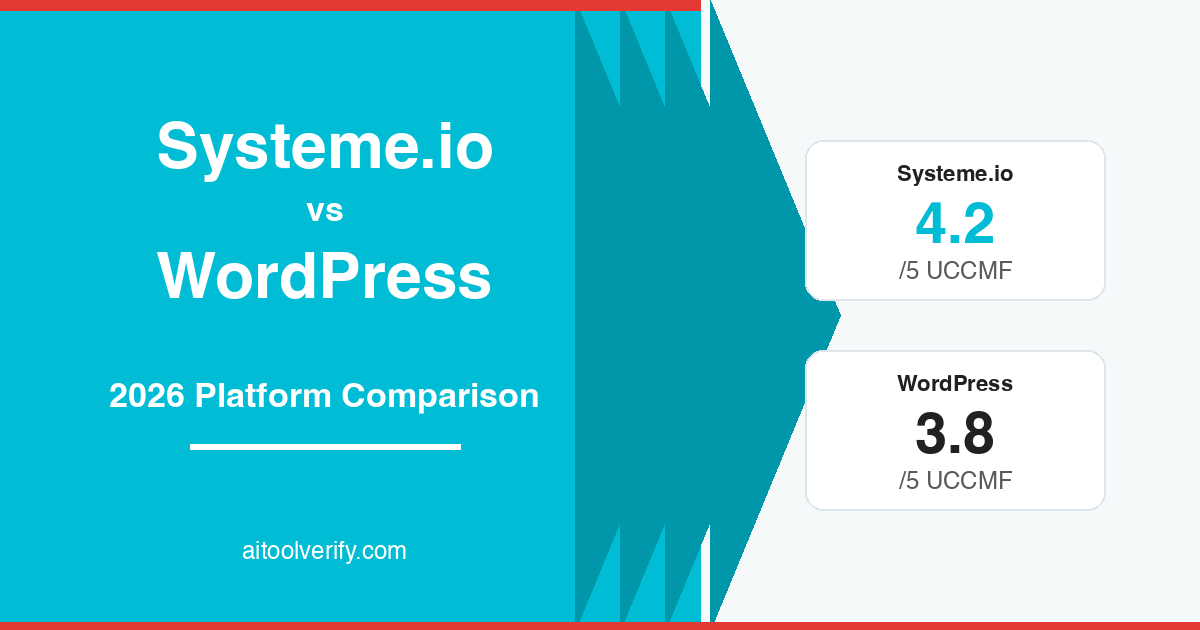
🏆 UCCMF Score: Systeme.io 4.2/5 | WordPress 3.8/5
Disclosure: AIToolVerify may earn a commission if you sign up through our links. This does not affect our ratings or recommendations.
📑 Table of Contents
- Overview: Systeme.io vs WordPress at a Glance
- Systeme.io — Key Features & Strengths
- WordPress — Key Features & Strengths
- Head-to-Head Comparison
- Website Builder Comparison
- SEO Capabilities
- Ecommerce Features
- Plugins & Integrations
- Total Cost of Ownership
- 🐺 Wolf’s Take
- Our Recommendation
- FAQ
- Final Verdict
Overview: Systeme.io vs WordPress at a Glance
This is a comparison that keeps coming up in 2026: should you build your online business on Systeme.io or WordPress? On the surface, they seem like completely different tools — and in many ways, they are. But both are used to build websites, sell products, and grow online businesses, which is why the comparison matters.
WordPress (self-hosted, WordPress.org) has powered the internet since 2003. It runs roughly 43% of all websites globally and offers near-infinite customization through 60,000+ plugins and thousands of themes. It’s open-source, free to install, and gives you complete ownership of your site and data.
Systeme.io launched in 2018 as an all-in-one business platform. It bundles website building, sales funnels, email marketing, online courses, membership sites, and affiliate program management — all in one dashboard. It has grown to over 500,000 users, largely driven by its genuinely useful free plan. If you want to understand its full feature set, check our detailed Systeme.io review.
Quick Comparison Table
| Feature | Systeme.io | WordPress (Self-Hosted) |
|---|---|---|
| Type | All-in-one SaaS platform | Open-source CMS + plugins |
| Starting Price | Free (forever) | $0 software + $3–30/mo hosting |
| Website Builder | ✅ Drag-and-drop (template-based) | ✅ Block editor + page builders (Elementor, etc.) |
| Sales Funnels | ✅ Built-in | ⚠️ Requires plugins (CartFlows, etc.) |
| Email Marketing | ✅ Built-in (unlimited emails) | ❌ Requires external tool (Mailchimp, etc.) |
| Online Courses | ✅ Built-in | ⚠️ Requires LMS plugin (LearnDash ~$199/yr) |
| Ecommerce | ⚠️ Basic (digital + simple physical) | ✅ WooCommerce (full-featured) |
| SEO Control | ⚠️ Basic meta tags, limited | ✅ Full control (Yoast, Rank Math, schema) |
| Plugins/Extensions | ❌ Closed ecosystem, few integrations | ✅ 60,000+ plugins |
| Technical Skill Needed | Low (beginner-friendly) | Medium-High (hosting, updates, security) |
| Ownership | ⚠️ Platform-dependent | ✅ You own everything |
| Best For | Solopreneurs, course creators, coaches | Content sites, ecommerce stores, agencies |
Systeme.io — Key Features & Strengths
Systeme.io is built around one idea: give non-technical business owners everything they need in one place. No plugin hunting, no compatibility issues, no surprise costs.
What stands out:
- Genuinely usable free plan: 2,000 contacts, 3 sales funnels, 1 course, 1 blog, unlimited emails — enough to launch a real business
- Sales funnels: Drag-and-drop builder with templates for lead generation, product launches, webinars, and evergreen sequences
- Email marketing: Built-in with automation workflows, tagging, segmentation, and broadcast campaigns — no separate Mailchimp subscription needed
- Course hosting: Full course builder with drip content, student management, and completion tracking
- Affiliate program management: Built-in system to recruit and manage affiliates for your products
- Blogging: Basic blog functionality with custom domains
- Zero transaction fees: On all plans, Systeme.io takes 0% of your sales
The platform deliberately trades flexibility for simplicity. You can’t install plugins, you can’t customize CSS beyond what the editor allows, and you’re limited to Systeme.io’s templates. But for most solopreneurs, that trade-off is exactly right — it means less can break. For a detailed pricing breakdown, see our Systeme.io pricing guide.
UCCMF Score: Systeme.io
| Metric | Score | Notes |
|---|---|---|
| Usability (U) | 4.5/5 | Extremely beginner-friendly; everything in one dashboard |
| Content Quality (C) | 3.5/5 | Blog and page builder work, but limited design flexibility |
| Cost-effectiveness (C) | 5/5 | Free plan is genuinely usable; paid plans start at $27/mo for everything |
| Marketing Fit (M) | 4.5/5 | Funnels + email + courses = perfect for digital product sellers |
| Flexibility (F) | 3/5 | Closed ecosystem; limited integrations and customization |
| Overall | 4.2/5 |
WordPress — Key Features & Strengths
WordPress (WordPress.org, the self-hosted version) is the most customizable website platform on the planet. It’s not an all-in-one — it’s a foundation you build on.
What stands out:
- Unlimited customization: 60,000+ free plugins, thousands of themes, full code access (PHP, CSS, JavaScript)
- SEO powerhouse: Yoast SEO, Rank Math, schema markup, full control over URLs, sitemaps, robots.txt, and every technical SEO element
- WooCommerce: The world’s most popular ecommerce plugin — supports physical products, digital downloads, subscriptions, memberships, and everything in between
- Content management: The best blogging platform ever built, with Gutenberg block editor and advanced content workflows
- Full ownership: Your data, your code, your server — you can migrate, export, or modify anything at any time
- Massive ecosystem: Page builders (Elementor, Divi), LMS plugins (LearnDash, Tutor LMS), form builders, caching plugins, security plugins — whatever you need exists
- Community: Millions of developers, designers, and creators — every problem has been solved and documented
The flip side? WordPress requires you to handle hosting, security updates, plugin compatibility, backups, and performance optimization yourself (or pay someone to do it). The learning curve is real, especially for non-technical users.
UCCMF Score: WordPress
| Metric | Score | Notes |
|---|---|---|
| Usability (U) | 3/5 | Moderate learning curve; requires hosting setup and plugin management |
| Content Quality (C) | 4.5/5 | Best-in-class blogging and content management |
| Cost-effectiveness (C) | 3.5/5 | Software is free but hosting + premium plugins + themes add up fast |
| Marketing Fit (M) | 4/5 | Excellent for content marketing and SEO; requires plugins for funnels/email |
| Flexibility (F) | 5/5 | Unlimited customization, open-source, you own everything |
| Overall | 3.8/5 |
Head-to-Head Comparison
Let’s go category by category. Each section has a clear winner — because in this matchup, the platforms have very different strengths.
Website Builder: Templates vs Total Freedom
Systeme.io gives you a drag-and-drop editor with pre-built templates for landing pages, sales pages, and basic websites. The templates are clean and conversion-focused — but there are roughly 50-70 options, and customization is limited to what the editor allows. You can’t add custom code, and the design ceiling is visible pretty quickly.
WordPress gives you the Gutenberg block editor out of the box (which has improved dramatically in 2025-2026), plus access to page builders like Elementor, Divi, Beaver Builder, and Bricks. With thousands of themes and full code access, there’s literally no design limitation. You can build anything from a simple blog to a complex SaaS dashboard.
For ecommerce sellers, the design difference matters more than you’d think. A well-designed product page can lift conversion rates by 20-30%, and WordPress gives you the tools to test every layout variation. Systeme.io’s templates convert well for simple funnels and landing pages, but they all share a recognizable “Systeme.io look” that limits brand differentiation.
🏆 Winner: WordPress. If website design matters to your brand, WordPress wins by a mile. Systeme.io’s builder is functional but basic — it’s designed for speed, not design awards.
SEO Capabilities: Basic Tags vs Full Arsenal
This is where the gap gets wide.
Systeme.io lets you set page titles, meta descriptions, and custom URLs. That’s about it. No schema markup, no advanced sitemap control, no ability to edit robots.txt, no structured data, no breadcrumbs, and no granular indexing controls. The blog loads reasonably fast, but you can’t install caching plugins or optimize Core Web Vitals the way you can on WordPress.
WordPress with Yoast SEO or Rank Math gives you control over every SEO element that exists: schema markup for products/reviews/FAQ/how-to, XML sitemaps, canonical URLs, breadcrumbs, Open Graph tags, internal link suggestions, redirect management, and full indexing control. Combined with caching plugins (WP Rocket, LiteSpeed Cache) and image optimization, WordPress sites can achieve near-perfect Core Web Vitals scores.
For ecommerce sellers who depend on organic traffic, this difference is make-or-break. If you want to understand how AI tools can boost your ecommerce SEO, WordPress gives you the foundation to implement those optimizations.
One specific example: if you write a product review on WordPress, you can add Review schema markup that displays star ratings in Google search results — proven to increase click-through rates by up to 35%. On Systeme.io, you simply can’t do this. For businesses that depend on organic traffic, this is not a minor difference — it’s a competitive disadvantage.
🏆 Winner: WordPress. Not even close. If organic search traffic is important to your business, WordPress is the only serious choice between these two.
Ecommerce Features: Simple Sales vs Full Store
Systeme.io handles digital product sales beautifully — courses, ebooks, templates, coaching packages, membership subscriptions. You create a product, attach it to a funnel, and start selling. Order bumps, upsells, and downsells are built in. But physical product ecommerce? Very limited. No inventory management, no shipping calculators, no product variants, no catalog browsing experience. If you’re selling more than a handful of physical items, you’ll outgrow Systeme.io fast.
WordPress + WooCommerce is a full-featured ecommerce platform. Product variants, inventory tracking, shipping zones, tax calculations, coupon systems, subscription management — it handles everything. WooCommerce powers over 5 million online stores and integrates with every payment gateway, shipping provider, and marketplace you can think of. Check our Shopify AI review for how AI-powered ecommerce platforms compare.
However, WooCommerce adds complexity. You need to manage payment gateway setup, SSL certificates, PCI compliance awareness, and potentially dozens of WooCommerce extensions (many of which are paid). A typical WooCommerce store might use 5-10 additional plugins for shipping, taxes, subscriptions, and product variations — each adding cost and maintenance overhead.
For the middle ground — selling a mix of digital and physical products — it’s worth noting that some businesses use both: Systeme.io for their course/coaching funnel and WordPress + WooCommerce for their product catalog. This hybrid approach is increasingly common in 2026.
🏆 Winner: Depends on what you sell. Digital products and courses → Systeme.io. Physical product catalog → WordPress + WooCommerce. No contest in either direction.
Plugins & Integrations: Closed vs Open Ecosystem
Systeme.io takes the Apple approach: everything is built in, and the ecosystem is deliberately closed. You get Stripe and PayPal for payments, Zapier for third-party connections, and a handful of native integrations. That’s it. The upside is nothing breaks — there are no plugin conflicts, no compatibility issues after updates, no security vulnerabilities from third-party code.
WordPress has 60,000+ free plugins in its official directory, plus thousands of premium options. Need a booking system? There are 50 plugins for that. Need multilingual support? WPML, Polylang, TranslatePress. Need CRM integration? HubSpot, Salesforce, Zoho — all have WordPress plugins. The downside? Plugin conflicts are real, updates can break things, and every plugin is a potential security vulnerability if not maintained.
🏆 Winner: WordPress for power users. Systeme.io for simplicity seekers. If you need specific functionality, WordPress almost certainly has a plugin for it. If you want zero maintenance headaches, Systeme.io’s all-in-one approach eliminates the plugin problem entirely.
Total Cost of Ownership: The Real Math
This is where most comparisons get it wrong. They compare Systeme.io’s monthly price to WordPress’s “$0 software cost” — and that’s misleading. Let’s do the real math for a typical online business.
Systeme.io Total Cost (Annual)
| Item | Free Plan | Startup ($27/mo) | Webinar ($47/mo) |
|---|---|---|---|
| Platform | $0 | $324/yr | $564/yr |
| Hosting | Included | Included | Included |
| Email marketing | Included | Included | Included |
| SSL certificate | Included | Included | Included |
| Course platform | Included | Included | Included |
| Custom domain | ~$12/yr | ~$12/yr | ~$12/yr |
| Total | $12/yr | $336/yr | $576/yr |
WordPress Total Cost (Annual) — Typical Business Setup
| Item | Budget | Standard | Professional |
|---|---|---|---|
| Hosting | $36/yr (shared) | $120/yr (managed) | $300/yr (VPS) |
| Domain | $12/yr | $12/yr | $12/yr |
| Theme | $0 (free) | $59 (one-time) | $59 |
| Page builder | $0 (Gutenberg) | $59/yr (Elementor Pro) | $99/yr |
| SEO plugin | $0 (Yoast free) | $99/yr (Rank Math Pro) | $99/yr |
| Email marketing | $0 (MailerLite free tier) | $108/yr (basic) | $300+/yr |
| WooCommerce extensions | $0 | $100/yr | $300+/yr |
| Security plugin | $0 (Wordfence free) | $119/yr | $119/yr |
| Backup plugin | $0 (free) | $49/yr | $49/yr |
| LMS (courses) | N/A | $199/yr (LearnDash) | $199/yr |
| Funnel builder | N/A | $99/yr (CartFlows) | $99/yr |
| Total Year 1 | $48/yr | $1,023/yr | $1,635+/yr |
The budget WordPress setup costs less — but it also does less. The moment you need email marketing, funnels, courses, or ecommerce, WordPress’s “free” advantage disappears fast. Systeme.io’s Startup plan at $27/month gives you all of that for $336/year total. For a deeper dive into Systeme.io’s plans, see our Systeme.io pricing breakdown.
🏆 Winner: Systeme.io for all-in-one businesses. WordPress for content-only sites. If you need funnels + email + courses + website, Systeme.io saves you $500-1,300/year compared to replicating the same functionality on WordPress.
🐺 Wolf’s Take
I’ve built businesses on WordPress for over a decade, and I’ve moved several projects to Systeme.io in the past two years. Here’s what I’ve learned: the right choice depends entirely on what game you’re playing.
If you’re building a content-driven business — a blog, a media site, an SEO-powered affiliate project — WordPress is still the undisputed champion. The SEO control alone is worth the complexity. I run this very site on WordPress, and the ability to control schema markup, site speed, and every technical SEO element is something I’d never give up for a content site.
But if you’re a coach, course creator, or consultant who needs to launch fast and sell immediately? I’d push you toward Systeme.io without hesitation. I’ve seen too many solopreneurs spend three months setting up WordPress — choosing hosting, installing plugins, fixing conflicts, troubleshooting WooCommerce — when they could have been selling in an afternoon with Systeme.io’s free plan.
The ecommerce angle is nuanced. For physical products at scale, WordPress + WooCommerce (or Shopify) is the move. But for digital products, the overhead of managing WordPress for what amounts to a sales funnel + payment page makes zero sense when Systeme.io does it for free. The comparison to ClickFunnels is also worth reading — if you’re already paying for funnel software, Systeme.io is the obvious money-saver.
My bottom line: don’t pick a platform based on what it can do. Pick it based on what you will do. Most businesses need 20% of WordPress’s capability, and for that 20%, Systeme.io delivers it faster, cheaper, and with less stress.
Our Recommendation
Choose Systeme.io If:
- You’re a solopreneur, coach, consultant, or course creator
- You want to launch and sell within days, not months
- You sell digital products (courses, ebooks, memberships, coaching)
- You want email marketing, funnels, and a website in one place
- You have little to no technical background
- Your budget is tight (or zero)
- You need an affiliate program for your products
👉 Try Systeme.io for free — no credit card required
Choose WordPress If:
- You’re building a content-driven site (blog, media, affiliate)
- SEO is your primary traffic strategy
- You sell physical products and need full ecommerce (WooCommerce)
- You want unlimited design customization
- You’re comfortable managing hosting, updates, and security (or have a developer)
- You need specific integrations not available on Systeme.io
- You want full data ownership and portability
👉 Start with WordPress.org + a reliable managed host like SiteGround or Cloudways
FAQ
Can Systeme.io replace WordPress completely?
For many solopreneurs and digital product sellers, yes. Systeme.io handles websites, blogs, funnels, email marketing, courses, and payments — all things that would require 5-7 WordPress plugins. However, if you need advanced SEO control, a large product catalog, or deep customization, WordPress is still necessary.
Is Systeme.io better than WordPress for beginners?
Absolutely. Systeme.io requires zero technical setup — no hosting to configure, no plugins to install, no security to manage. You can have a functioning sales funnel live within an hour. WordPress has a steeper learning curve, especially for non-technical users who need to manage hosting, themes, and plugin compatibility.
Which platform is better for SEO in 2026?
WordPress, by a wide margin. With Yoast SEO or Rank Math, you get full control over meta tags, schema markup, sitemaps, URL structure, Core Web Vitals optimization, and everything else Google cares about. Systeme.io offers basic meta tags only — no schema, no advanced sitemap control, no technical SEO tools.
Can I use Systeme.io and WordPress together?
Yes, and many smart businesses do exactly this. Use WordPress for your blog and content marketing (SEO), and use Systeme.io for your funnels, email sequences, and digital product delivery. You link between them with standard URLs. This gives you the best of both worlds — WordPress’s SEO power and Systeme.io’s conversion tools.
Is Systeme.io really free?
Yes. The free plan includes 2,000 contacts, 3 sales funnels, 1 email campaign, 1 course, 1 blog, unlimited emails, and a systeme.io subdomain. There are no hidden fees or transaction charges. You only need a paid plan when you outgrow these limits. See our full pricing breakdown.
Which is cheaper for an online business: Systeme.io or WordPress?
For an all-in-one business (website + funnels + email + courses), Systeme.io is significantly cheaper. Its Startup plan costs $27/month for everything, while replicating the same functionality on WordPress typically costs $85-135/month (hosting + email tool + LMS plugin + funnel builder). For a content-only blog, WordPress on shared hosting can be cheaper at $3-10/month.
What are the biggest limitations of Systeme.io compared to WordPress?
The main limitations are: (1) very basic SEO controls — no schema, no advanced technical SEO; (2) limited design customization — you’re restricted to their templates and editor; (3) closed plugin ecosystem — you can’t extend functionality like WordPress; (4) basic ecommerce — no inventory management or complex product catalogs; (5) platform dependency — your site lives on their servers, not yours.
Should I migrate from WordPress to Systeme.io?
Only if you’re spending more time maintaining WordPress than running your business. If you’re a coach or course creator who uses 10% of WordPress’s features but deals with 100% of its maintenance headaches, migrating to Systeme.io can free up hours every month. If you rely on WordPress for SEO traffic or complex ecommerce, stay put.
Final Verdict
Systeme.io and WordPress serve different business models, and in 2026, there’s room for both.
Systeme.io is the smart choice for solopreneurs and digital product sellers who want to launch fast, keep costs low, and avoid technical complexity. Its free plan alone outperforms many paid tools, and the all-in-one approach eliminates the “plugin Frankenstein” problem that plagues WordPress businesses.
WordPress remains the smart choice for content-driven businesses, ecommerce stores with physical products, and anyone who needs granular control over their website. If SEO is your growth engine, WordPress’s ecosystem is irreplaceable.
The best choice isn’t about which platform is “better” — it’s about which one matches how you actually make money. Start there, and the decision makes itself.
Related reading: